
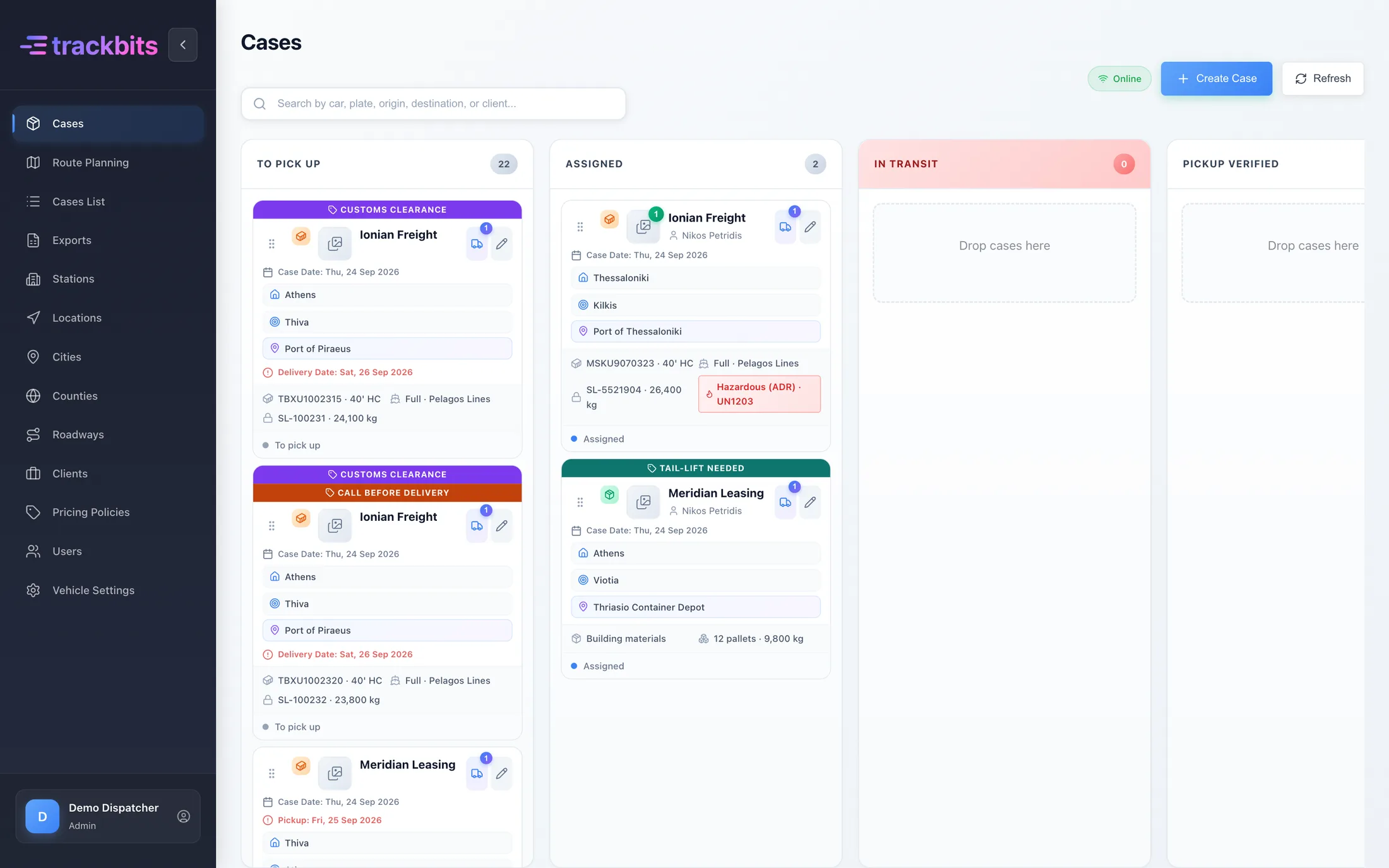
Every pickup, every leg, every delivery. On one board.
Trackbits is dispatch software for transport companies. You plan the routes on a real-time dashboard, send them to your drivers' phones, and see every pickup and delivery the moment it happens, with photos.
From order to delivery
One flow for the office and the drivers. Whatever changes on the road or in the office shows up on every screen in real time.
Enter the job
Client, pickup point, delivery point and what's being moved: a plate, a container number or a cargo description.
Plan the routes
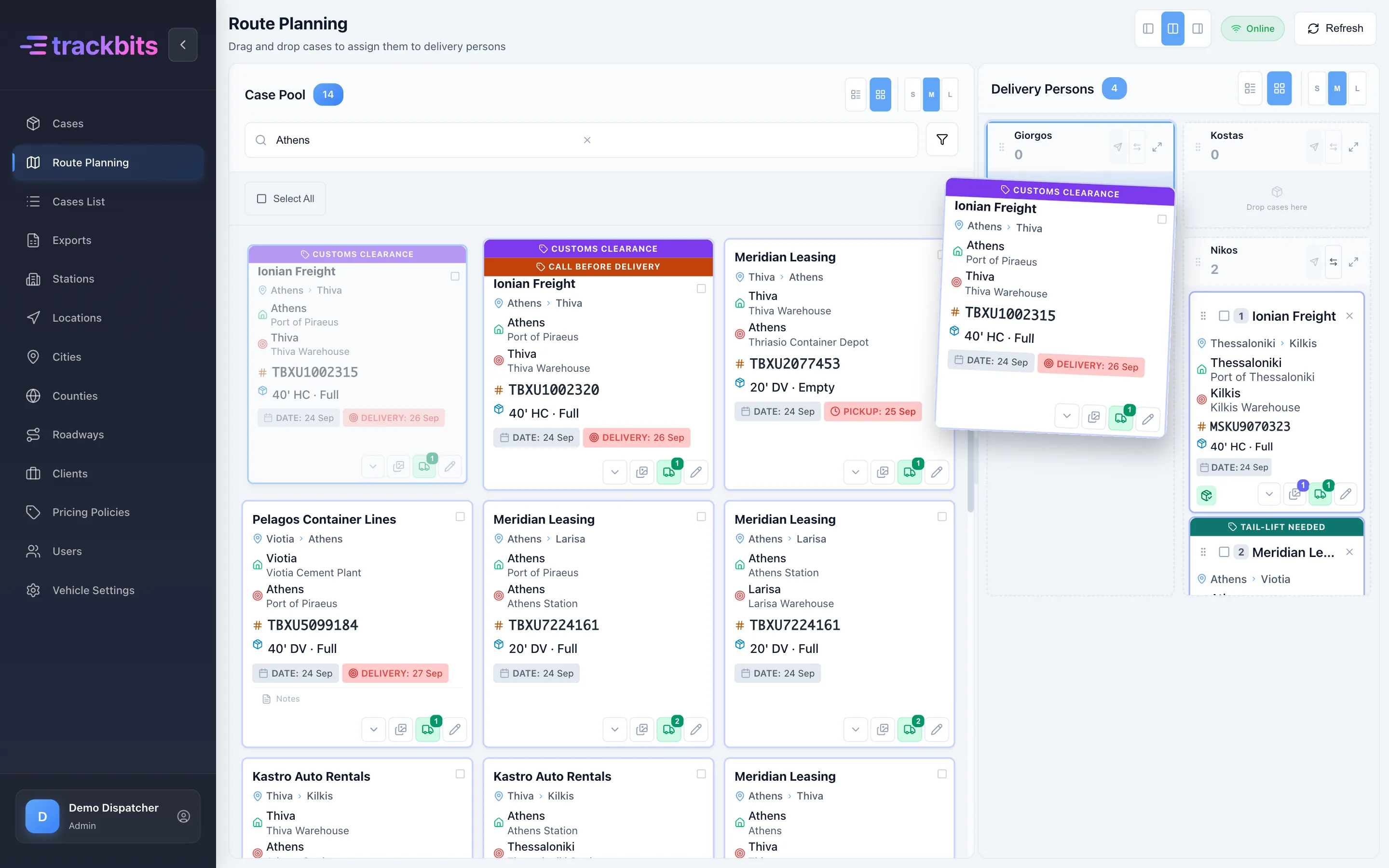
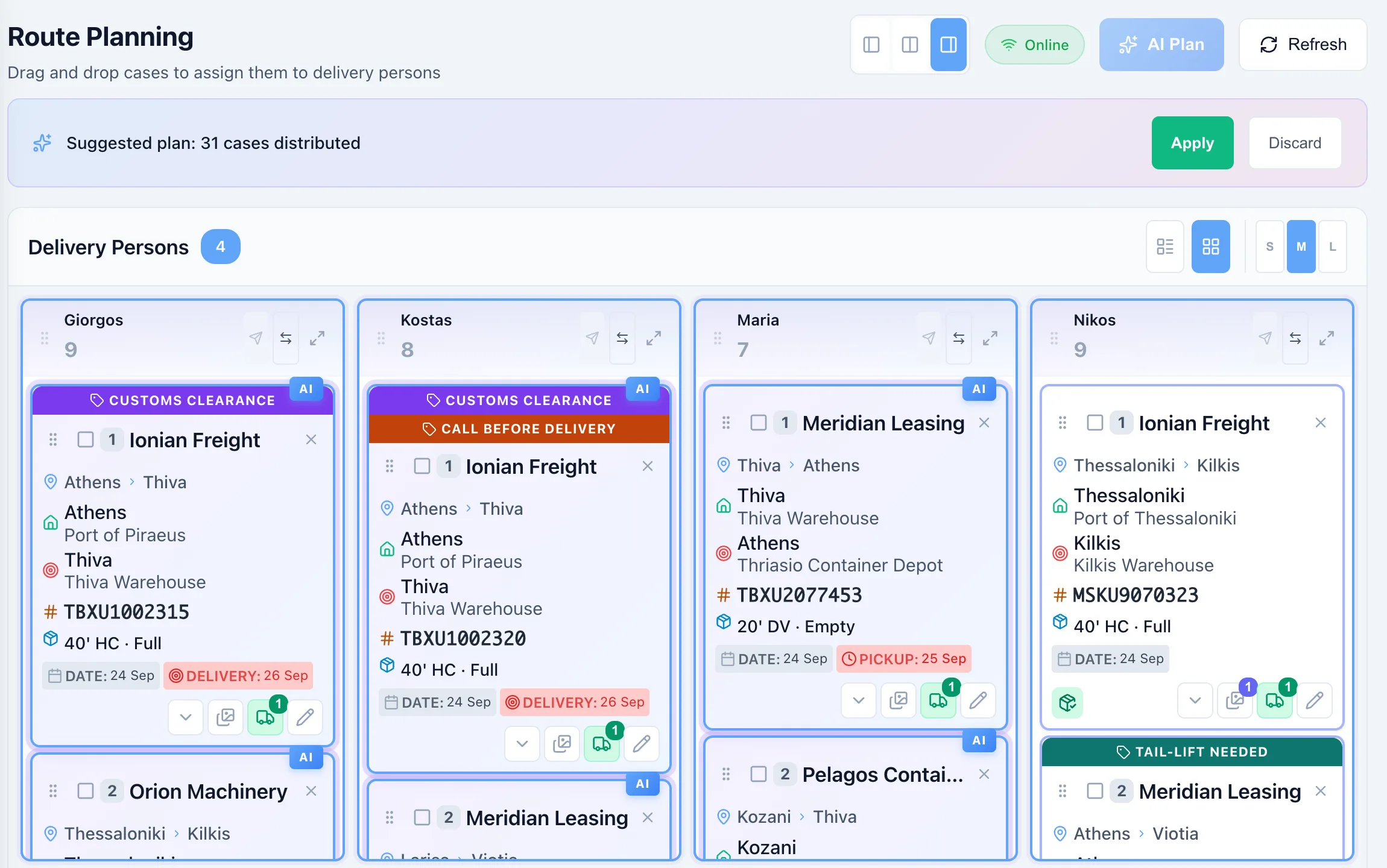
Drag jobs onto drivers, or let the AI planner suggest a split that you adjust.
Send them to drivers
Each driver gets a notification and sees their route in the app.
Pick up and deliver
The driver takes photos, adds notes and marks each stop as picked up, delivered or left at a station.
Close and invoice
Print the documents, export to Excel and apply each client's price list.
For the office
All your jobs on a real-time dashboard. Your whole team can plan routes at the same time and see each other's changes as they happen, and nobody has to phone a driver to find out where a load is.
- Plan together in real time. When a dispatcher assigns or moves a job, it updates on everyone's screen at once, so the team never works from an old plan.
- Drag-and-drop planning. Assign jobs to drivers and swap routes between them.
- AI route planner. Pick the drivers and jobs, and get a suggested split.
- Multi-leg jobs. A load can pass through stations and change driver on each leg.
- History for every job. Who changed what and when, with the photos from every stop.
For drivers
Drivers see only what they need for today's route.
- The route on their phone. Stops in order, with a notification for every new assignment.
- Delivery or station. At each stop they mark whether the load was delivered or left at a station for the next leg.
- Photos and notes. Taken at pickup and delivery and attached to the job.
- Works with poor signal. Photos upload in the background once there's a connection.
Cars, containers or general freight
Each job keeps the details that matter for what it carries. Turn on the cargo types your company needs.
Vehicles
Plate, make and model, colour, owner details and type of damage.
IKB-4521Containers
Container number with an ISO 6346 check, and type, such as 20' DV or 40' HC.
MSKU 907032 3General freight
Description, quantity and weight for pallets, machinery and anything else you move.
Pallets · 640 kgAnd the rest a transport company needs
Your own flags
Create colored flags that fit your work and tick them on any job, so nobody misses them on the board.
Roles and access
Each user gets a role with its own access level, so everyone sees and changes only what they should.
Price lists per client
Prices per client and pair of regions, with start and end dates.
Excel export
Every job in a period in one file for accounting or the client.
Printouts
A ready-made PDF for each job with the client, status, pickup and delivery.
Trucks and drivers
Your fleet with capacity and dimensions, and which truck each driver uses.
Stations and locations
Ports, warehouses, depots and stations, organised by region and highway.
See it with your own jobs
In a short demo we set up your cargo types and routes, and walk you through a working day from the office to the driver.